
The 7 Best Rubik's Cube Apps for Beginners in 2026

Quick answer
For most beginners, the best app teaches the beginner method and can rescue a scrambled cube. CuberPal (our app) combines lessons, a camera solver, and a timer on iOS and Android. Cube Solver 3D is strong for step-by-step solutions across many puzzles. Once you can solve, The Cube App, CubeTime, and Last Cube X are capable iPhone timers, csTimer is a free browser timer, and Rubik's free official guide teaches the basic method without an app.
On this pageQuick picks
- Quick picks
- 1. CuberPal: best all-in-one for beginners
- 2. Cube Solver 3D: best for step-by-step solutions
- 3. The Cube App: best customizable timer and algorithm library
- 4. CubeTime: best focused timer for Apple devices
- 5. Last Cube X: best multi-puzzle timer with community
- 6. csTimer: best free browser timer
- 7. Rubik's official solution guide: best free written method
- Choose the app for the job you need now
- Start with guided lessons, not algorithm lists
- A camera solver is a safety net
- The app should grow with you
CuberPal publishes this guide and makes one of the apps on the list, so we have described every app, including our own, from its official App Store listing or website as checked in September 2026, and included its trade-offs.
Quick picks
- Best all-in-one for learning to solve and then getting faster: CuberPal.
- Best for step-by-step solutions across many puzzles: Cube Solver 3D.
- Best customizable offline timer and algorithm library: The Cube App.
- Best focused timer for Apple devices: CubeTime.
- Best multi-puzzle timer with community features: Last Cube X.
- Best free browser timer: csTimer.
- Best free written beginner method: the official Rubik's solution guide.
1. CuberPal: best all-in-one for beginners
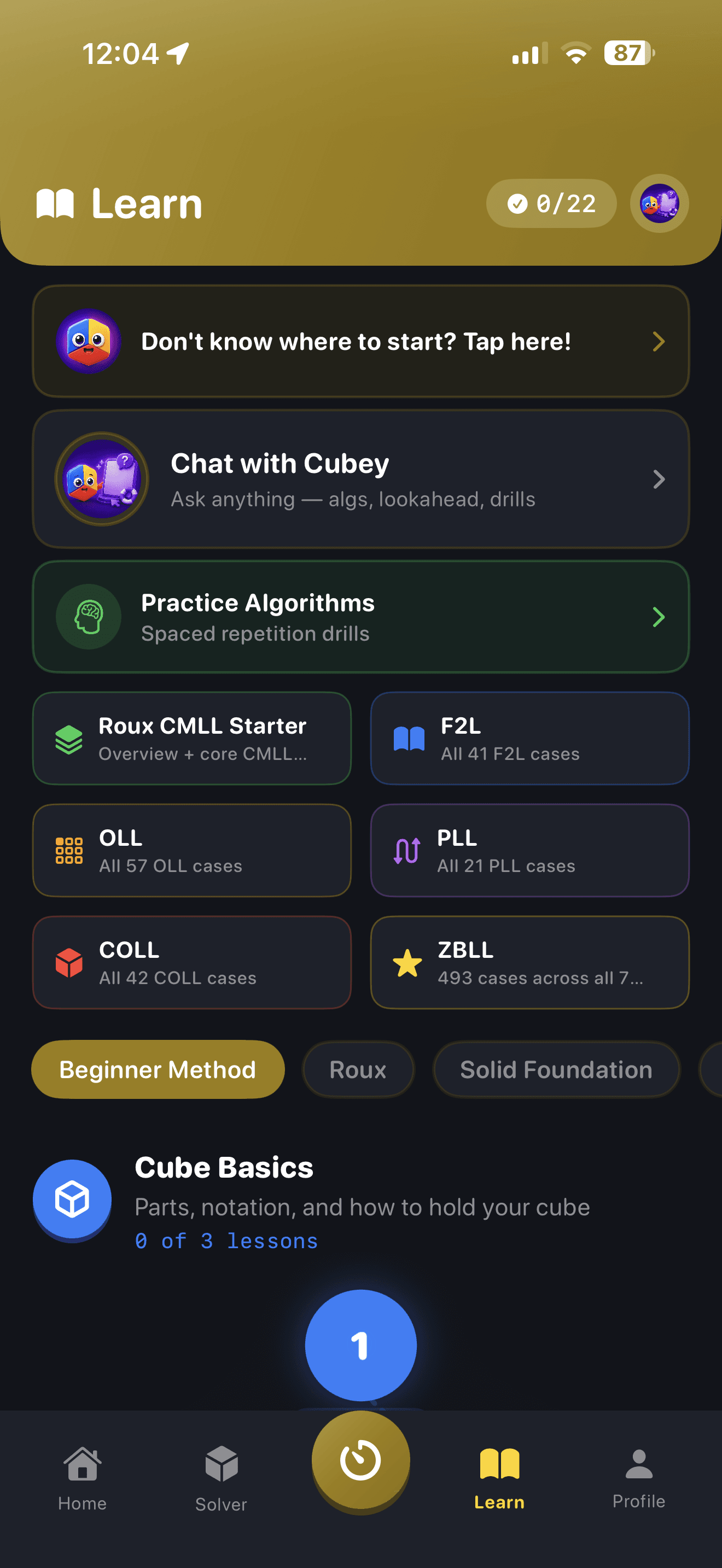
CuberPal is an iOS and Android app that covers the whole beginner journey in one place: a Beginner Method course with 3D move previews, a camera cube solver that scans your cube and lets you correct colours before solving, and a WCA-style timer with ao5 and ao12. When you are ready, it continues into CFOP lessons, algorithm catalogues, and AI analysis of recorded solves.
Trade-offs: full access uses a paid subscription (currently $6.99 per week or $49.99 per year), and its solver and coaching are built around the 3x3 rather than every puzzle. If you just want to try timing first, CuberPal's free online cube timer and scramble generator run in any browser with no account.
2. Cube Solver 3D: best for step-by-step solutions
Cube Solver 3D, for iPhone and iPad, focuses on giving step-by-step solutions for many puzzle types, and its listing also includes speedcubing timing, statistics, lessons, patterns, and a colourblind-friendly 3D presentation. It suits beginners whose main goal is getting unstuck on several different puzzles.
Trade-offs: it is centred on solutions rather than on coaching you towards faster 3x3 times, so pair it with a lesson plan if you want to learn a method rather than follow moves.
3. The Cube App: best customizable timer and algorithm library
The Cube App, for iPhone and iPad, combines a customizable timer with sessions, graphs, import and export, scramble views, a large algorithm library, drills, and offline use. It is a good second app once you can solve the cube and want to practise algorithms and track times.
Trade-offs: it assumes you already know how to solve; it is not a first-solve teacher.
4. CubeTime: best focused timer for Apple devices
CubeTime is a dedicated speedcubing timer for Apple devices. Its listing emphasises official WCA scrambles, special session types such as competition simulation and multiphase timing, and detailed graphs.
Trade-offs: it is a timer, not a course or solver, so it is most useful after you have learned the beginner method.
5. Last Cube X: best multi-puzzle timer with community
Last Cube X is an iPhone and iPad timer that supports multiple puzzle events, scramble images, history, statistics, algorithm tools, community features, and optional synchronisation.
Trade-offs: the breadth of settings and features is more than a first-time solver needs; it shines once you practise several events.
6. csTimer: best free browser timer
csTimer is a free, open-source timer that runs in a web browser and can be installed as a web app. It offers extensive scramble types, sessions, advanced statistics, built-in solvers and training tools, and data backup.
Trade-offs: the interface is dense for a complete beginner, and it does not teach you how to solve the cube.
7. Rubik's official solution guide: best free written method
If you would rather learn from a free, step-by-step guide than an app, the official Rubik's solution guide teaches a layer-by-layer beginner method. Use it alongside any timer once you can finish a solve.
Trade-offs: it is a static guide, so there is no solver to rescue a scrambled cube and no progress tracking.
Choose the app for the job you need now
- For a first independent solve, prioritize a structured beginner course with move-by-move cube visuals and plain-language notation.
- For a cube that is already scrambled, prioritize accurate camera entry, manual color correction, and a solution you can step through rather than watch once.
- For regular practice, prioritize a reliable timer, inspection support, ao5 and ao12 averages, and a history you can use to spot consistency.
- For the move into speedcubing, prioritize a clear CFOP path covering Cross, intuitive F2L, two-look last layer, full PLL, and later full OLL.
Start with guided lessons, not algorithm lists
The beginner method is a sequence: white cross, first-layer corners, middle-layer edges, yellow cross, yellow corners, and final permutation. A good app teaches that sequence as a path, with each lesson building on the last.
Look for move-by-move visuals and plain-language explanations. Raw notation is useful later, but a beginner needs to see what R, U, and F turns do on the cube before memorizing strings of letters.
A camera solver is a safety net
Beginners get stuck. A camera solver lets you scan the current cube state and recover without peeling stickers or restarting from a random tutorial. The best version also explains the solution step by step, so it becomes teaching instead of magic.
Color correction matters here: phone cameras can confuse red and orange under bad lighting, so the app should let you verify every scanned face before solving.
The app should grow with you
Once you can solve the cube, the next questions are timing, consistency, and faster methods. A beginner app becomes much more valuable if it includes WCA-style timing, ao5/ao12 stats, and a clean bridge into CFOP.
That transition is where many beginners quit. The right app makes the next step obvious: learn intuitive F2L, then 4-look last layer, then full PLL when you are ready.
Turn this into practice
Use CuberPal to connect these steps to solve analysis, focused drills, lessons, and spaced repetition.
Frequently asked questions
What is the best Rubik's Cube app for beginners?
Choose an app that teaches the beginner method and can rescue a scrambled cube. CuberPal combines lessons, a camera solver, and a timer on iOS and Android; Cube Solver 3D is a strong choice if you mainly want step-by-step solutions for several puzzles.
Is there a free Rubik's Cube app?
csTimer is a free browser timer, the official Rubik's solution guide is free, and CuberPal's online timer, scramble generator, and average calculator are free in any browser. Check each app store listing for current pricing, because plans and trials change.
Can a beginner learn the Rubik's Cube from an app?
Yes. A good app can teach the full beginner method if it uses visual steps, explains notation, and gives you a way to recover when the cube state does not match the lesson.
Should beginners use a cube solver app?
Yes, as a backup. Use the solver to fix a bad scramble or understand a position, then use lessons to learn the method so you need the solver less over time.
What should I learn after the beginner method?
Learn CFOP in stages: efficient cross, intuitive F2L, 2-look OLL and PLL, then full PLL. That path gives the biggest speed improvement without overwhelming you.
Sources and fact checks
- [1]Rubik's official 3x3 solution guide — Official free beginner reference for solving a 3x3 cube step by step, listed as pick 7.
- [2]Apple App Store: Cubing Timer & Coach: CuberPal — Current product listing for CuberPal lessons, timer, analysis, coaching, algorithm practice, and cube-solver capabilities.
- [3]Apple App Store: Cube Solver 3D — Official listing supporting Cube Solver 3D's platforms, multi-puzzle step-by-step solutions, timing, lessons, patterns, and 3D presentation.
- [4]Apple App Store: The Cube App — Official listing supporting The Cube App's customizable timer, sessions, graphs, import and export, algorithm library, drills, and offline use.
- [5]Apple App Store: CubeTime — Official listing supporting CubeTime's Apple-device timer, official WCA scrambles, special session types, and graphs.
- [6]Apple App Store: Last Cube X — Official listing supporting Last Cube X's multi-puzzle timer, scramble images, statistics, algorithm tools, community features, and sync.
- [7]csTimer — Official site supporting csTimer's free open-source browser timer, scramble types, statistics, solvers, training tools, and backups.